See local usage
Read supported Codex and Claude Code session logs to compare input, cache and output tokens.
 智能选型AI Advisor
CreditsPlan Assistant
Bring Codex and Claude Code usage into one view, with the CreditsPlan advisor close at hand.
Mac: Developer ID signed and Apple notarized. Windows remains unsigned and may show a security prompt. Updates are downloaded manually.
Mac: Apple Silicon M-series chips only. Intel Macs are not supported. Check Apple menu → About This Mac.

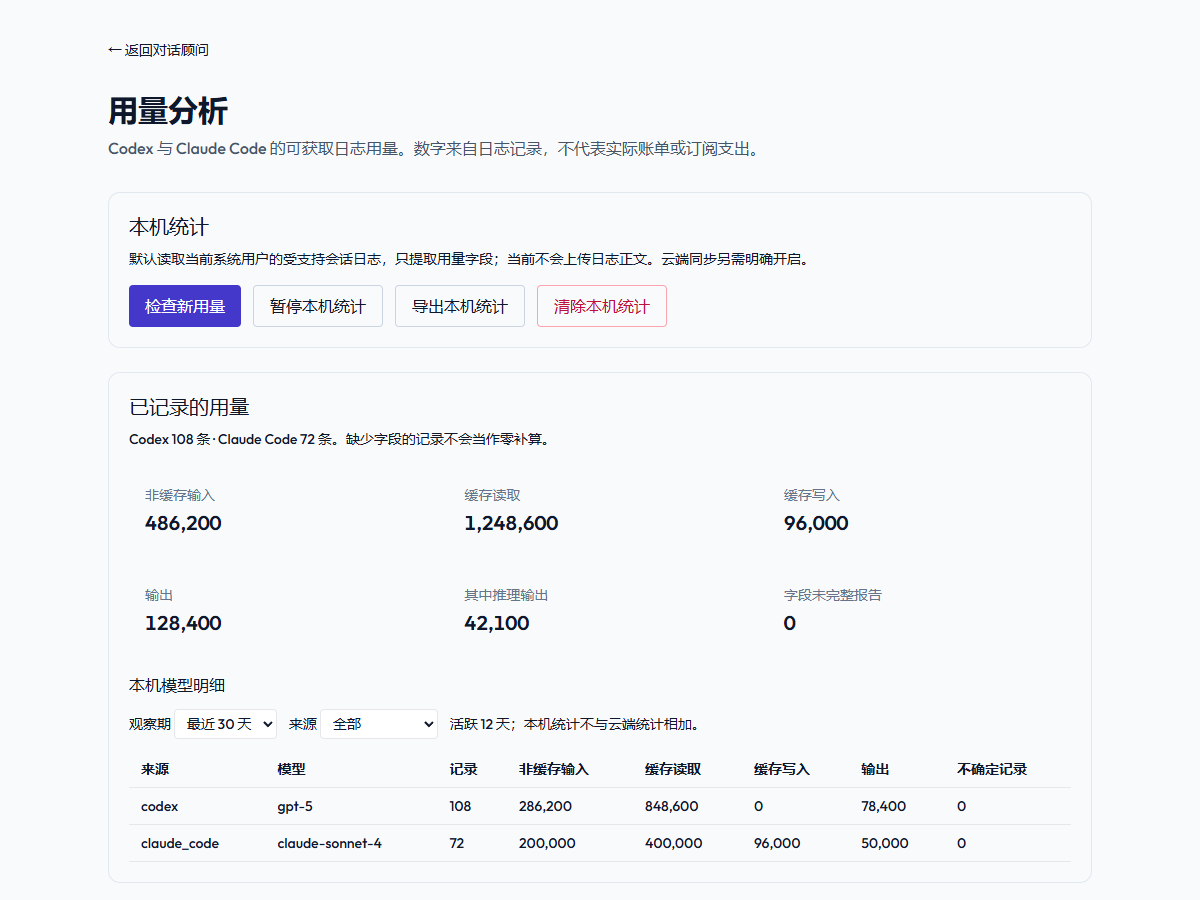 Usage analysis
Read supported Codex and Claude Code session logs to compare input, cache and output tokens.
Local statistics are enabled by default. Cloud sync stays off until you choose to enable it.
Sign in with your CreditsPlan account to use the online advisor. Synced usage can inform your next question.
Start with local statistics. You decide what to connect next.
Choose Windows x64 or the DMG for an Apple Silicon Mac. Intel Macs are not supported. Windows setup may need internet access to install WebView2. On Mac, open the DMG and drag the app to Applications. If macOS shows the normal first-open internet-download confirmation, verify the source and choose Open.
Open Usage (用量分析) in the assistant and select Check for new usage (检查新用量). If there are no records, first use Codex or Claude Code under the same system account.
Local statistics do not require an account. Sign in to use the online advisor; cloud usage analysis requires a separate opt-in on the Usage page.
Windows x64; requires WebView2. Silent installation and uninstall have passed. The minimum Windows version, compatibility across Windows versions, setup without WebView2 and the complete native UI flow remain unverified.
Mac v0.1.11: Apple Silicon only; Intel Macs are not supported. Requires macOS 11.0 or later. Signature, notarization, Gatekeeper, installation, startup and local database initialization passed on macOS 15.3.1. Full interactive login, real tool statistics, menu-bar behavior, autostart and upgrade data retention remain unverified.
Reads supported logs only from the documented directories under the current system user. WSL and remote sessions are unverified; custom log directories are not supported. See the installation guide for paths and verification limits.
The Mac download supports Apple Silicon M-series chips only; Intel Macs are not supported. Check Apple menu → About This Mac. macOS 11.0 or later is required. The app and DMG are Developer ID signed and Apple notarized. A normal first-open internet-download confirmation may still appear; verify the source and choose Open. If signature verification or device policy blocks installation, keep the error message and contact support or your administrator.
This release is not code-signed. Windows may show an unknown-publisher or SmartScreen warning, and managed devices may block installation. Verify the source and checksum; if your device policy blocks it, use the web version or contact your administrator.
Check that supported logs exist in the documented directories under the same system user and that local collection is not paused, then select Check for new usage. Missing logs, unsupported formats and unreported fields can leave gaps. Token statistics and reference costs are not provider bills. When reporting a problem, provide system, assistant and tool versions, the runtime environment and symptoms; do not send raw conversations, keys or complete logs.
Cloud sync is off by default. If you enable it, usage statistics are synced to your account; raw logs and conversation text are not uploaded by usage sync. Messages you send to the online advisor are processed online.
Updates currently require manually downloading a new installer from the release page. Before updating, export any statistics you need to keep. Closing the window leaves the assistant in the tray; choose Exit from the tray menu to quit. You can pause local collection on the Usage page.
Downloading the installer does not purchase online Credits. The advisor follows the Credits and usage rules shown in your account; local statistics do not need an online model call.
Compare your downloaded file's SHA-256 with the matching platform below to check its integrity.
6f2adc837e7b72bfbd0ce60a258281a7596a1027154da6eacb23b35ec8133aba3bfcb9289f39be4ee3eefcdc7d5217d5bcf9f5b909737e1f1afb2b7a3c1386ad